Installing on a Mac
- Unzip the download and move Jazz2.app to your Applications folder, or anywhere else you like.
- Open it. The app is not signed with an Apple developer ID, so macOS blocks it the first
time.
- macOS 13 and 14: right-click the app, choose Open, then Open again.
- macOS 15 and later: open it once, then go to System Settings, Privacy & Security, and click Open Anyway.
- The first time it starts, it asks for the folder with your game's files (see below) and remembers it. If you put Jazz2.app inside that folder, it uses it without asking.
Installing on Linux and the Steam Deck
The Linux version is a Flatpak bundle, Jazz2-1.3.3.flatpak, which works on
any Linux with Flatpak. If your system does not have Flatpak yet, follow the steps for your
distribution at flathub.org/setup. That also adds
Flathub, where the shared libraries the game needs come from.
- Double-click the bundle to open it in your software centre and choose
Install, or install it from a terminal:
flatpak install --user Jazz2-1.3.3.flatpak
- Start Jazz Jackrabbit 2 from your applications menu, or with
flatpak run net.digiex.jazz2decomp.v124. - The first time it starts, it asks for the folder with your game's files (see below) and remembers it.
Steam Deck and Steam Machine
- Switch to Desktop Mode and install the bundle as above.
- Start the game once in Desktop Mode and choose your game folder. Game Mode cannot show a folder picker, so this has to be done here.
- Still in Desktop Mode, open Steam and choose Games, Add a Non-Steam Game to My Library, then pick Jazz Jackrabbit 2. It will then start from Game Mode like any other game.
Updating and removing
To update, install the new bundle the same way. It replaces the old one and keeps your settings
and saved games. To remove the game: flatpak uninstall net.digiex.jazz2decomp.v124.
The game's files
The game needs a folder containing Anims.j2a, Data.j2d and at least
one episode (.j2e) from version 1.24. Any levels, music and cutscenes in the same
folder are picked up too. When asked, choose that folder. The game checks the files and tells
you if they are from a different version or incomplete.
- From a Windows PC: copy the whole folder the game is installed in.
- From GOG: GOG sells the game as a Windows installer. Either install it on a
Windows PC and copy the folder, or unpack the installer with
innoextract (available from Homebrew on the
Mac and from your package manager on Linux): run
innoextractfollowed by the installer's file name, then choose the folder it creates that containsAnims.j2a.
To switch to another folder later: Game, Change Game Folder. The game restarts with the new one.
Playing
Mac
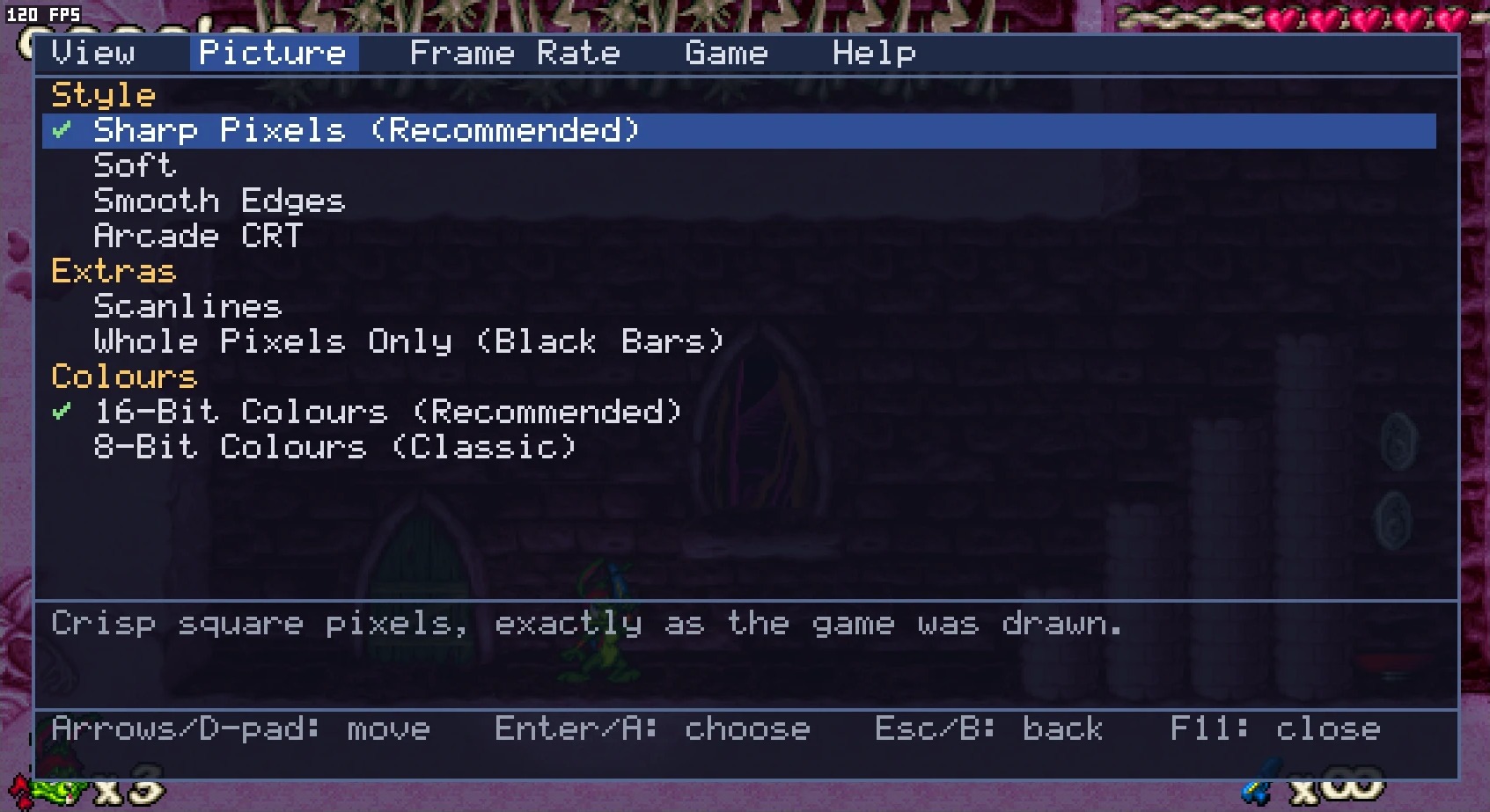
- The display settings are in the menu bar: View, Picture and Frame Rate.
- ⌘ , opens them over the game, which is handy in full screen.
- Full screen: ⌥ Return or ⌘ Ctrl F. Your display's resolution is never changed.
Linux
- F11, or Back and Start together on a controller, opens the same settings over the game.
- Full screen: Alt Return.
- Xbox, PlayStation and Switch Pro controllers work. Set them up in the game's own Controls menu, as on Windows.
- Help, Display Guide explains every display setting, and What's New lists the changes in each build.
- The recommended settings suit almost everyone. If something looks wrong, View, Reset All Display Settings puts them back.
Problems and crash reports
- If the game crashes, it saves a report. Please send that file along with a note of what you
were doing.
Mac ~/Library/Application Support/Jazz2/Crash ReportsLinux ~/.var/app/net.digiex.jazz2decomp.v124/config/Jazz2/Crash Reports - Your settings are kept in the same place:
~/Library/Application Support/Jazz2on the Mac,~/.var/app/net.digiex.jazz2decomp.v124on Linux. - Chose the wrong folder, or moved the game's files? Game, Change Game Folder. If the game stops because a file is missing, the next start offers to choose another folder.
- To find out which build you have: on the Mac, About Jazz Jackrabbit 2 in the app's menu
shows, for example, Version 1.24 (1.3.3). On Linux, your software centre or
flatpak info net.digiex.jazz2decomp.v124shows it.
What's new
Build 1.3.3 · 7 November 2026
Changed
- Linux: the app asks for fewer permissions.
- Linux: the software centre page now describes the game and lists the changes in each build.
Fixed
- Switching between a window and full screen with Alt+Enter could close the game with a "Could not set video mode" message after the window had been resized a number of times.
Build 1.3.2 · 7 November 2026
Changed
- Fair Size Online has been renamed Competitive Online. In online games it limits your view to 800x600 at most: never wider than 800 or taller than 600, whatever the shape of your window or screen. Once these builds can join Plus Only servers, each server's own maximum resolution will be respected, as it is for JJ2+ players, and this setting will not override it.
- The menus, the Display Guide, these notes and the readme have been rewritten to be clearer.
- Linux: the software centre page now describes the game and lists the changes in each build.
- Linux: the app has a new ID, net.digiex.jazz2decomp.v124. If you installed an earlier build, remove it with flatpak uninstall org.jazz2.port. To keep your settings and saved games, copy the folder ~/.var/app/org.jazz2.port to ~/.var/app/net.digiex.jazz2decomp.v124 before you start the new one.
Fixed
- Competitive Online let a very tall or very wide window see far more than 800x600 (for example 336x1140 or 1444x320). Every view is now cut to 800x600 at most.
- Switching between a window and full screen with Alt+Enter could close the game with a "Could not set video mode" message after the window had been resized a number of times.
Build 1.3.1 · 6 November 2026
Fixed
- Mac: in full screen on a 60 Hz display, Smooth and Fastest Response ran at only about 30 frames a second. Full screen now runs at the full refresh rate at 60, 59.94 and 50 Hz, and no longer drops to 40 fps for seconds at a time on 120 Hz displays.
- Mac: Even 70 ran at 40 to 50 frames a second on displays slower than 70 Hz. It now shows one frame per refresh, as the original game did on a 60 Hz monitor.
- Smooth juddered every few frames on displays slower than 70 Hz, on both Mac and Linux. Motion is now even at any refresh rate.
- Changing the frame rate during a game no longer causes a stutter.
- The picture no longer shakes while the game is paused in Smooth mode.
New
- The F9 counter now shows the real frame rate, without the original's cap of 70, with the game's own update rate (always 70) above it.
Changed
- Input lag is about half what it was in build 1.3: about 40 ms from key press to screen at 60 Hz, down from 79 ms.
Build 1.3 · 6 November 2026
New
- Linux version, as a Flatpak, with the same features as the Mac version. It installs on any Linux with Flatpak, including SteamOS. Press F11, or Back and Start together on a controller, to open the settings over the game.
- Smooth, the new default frame rate. The game still runs at its original 70 updates a second, but a new frame is drawn at every refresh of your display, with everything positioned between updates, so motion is even at 60 Hz, 120 Hz or any other rate. Even 70 and Fastest Response are still available in the Frame Rate menu.
- Much lower sound latency: effects now play about 17 ms after the event, down from 50 ms in build 1.2.
- The game now starts straight at the menu. To see the intro movies again, turn on Game, Play Intro Movies at Start.
- Game, Change Game Folder lets you pick a different folder for the game's files.
Fixed
- Linux: hosting or joining an online game crashed. Linux, Mac and Windows players can now play together, hosting and joining.
- The game setup screen crashed after browsing the list of other levels and then going back to set up a Battle. (The original game has the same bug.)
- The game folder is now checked when you choose it: it must contain Anims.j2a, Data.j2d and at least one episode from version 1.24. A wrong folder or an older version is refused with a message saying why, and if the files later go missing you are asked for the folder again.
- Steam's Game Mode cannot show a folder picker, so the first start there now explains how to choose the folder from Desktop Mode.
- The settings overlay stays sharp with the Soft and Arcade CRT styles.
- Linux: the window shows the game's icon and name in the taskbar. Crash reports are saved to ~/.var/app/org.jazz2.port/config/Jazz2/Crash Reports; please include that file when reporting a crash.
Build 1.2 · 6 November 2026
Fixed
- Some levels made for JJ2+ crashed while loading or at the start of play. Levels that need JJ2+ itself still show the original game's error message, as they do on Windows.
- Crashes now save a report to ~/Library/Application Support/Jazz2/Crash Reports. Please include that file when reporting a crash.
- The title, loading and continue screens were cut off in wide views. They are now shown whole, at 4:3 with bars at the sides.
- A crash at the end of an online level, caused by a long network message arriving in pieces and overrunning a buffer in the original game's network code. Fixed for both hosting and joining.
- Picking a screen size could drop the game to a 320x240 view, for example just after switching to full screen.
New
- A Help menu: Display Guide explains every View, Picture and Frame Rate setting, and What's New shows this list.
- The View, Picture and Frame Rate menus are now organised into groups with the recommended choice first, and hovering over an item shows what it does. Less common sizes are under View, Other Sizes.
- Frame rate Automatic: Even 70 on displays of 100 Hz or more, Fastest Response on 60 Hz ones. (Smooth on every display since build 1.3.)
Changed
- Sound effects play about 50 ms after the event, down from about a quarter of a second.
- Input lag on 60 Hz displays is less than half what it was: frames no longer queue up.
- The window no longer drops to about 40 frames a second on some Macs.
- ⌘ , opens the display settings over the game, which is handy in full screen.
- Screen sizes are greyed out in the game's menus and cutscenes, where the size cannot change.
- Sound now plays at 44.1 kHz by default instead of 22 kHz. If you had already chosen a rate in the game's sound options, it is kept.
- The About box shows the build number, for example Version 1.24 (1.2).
Build 1.1 · 5 November 2026
New
- The game is now drawn with Metal, so it scales cleanly to any window size or to full screen.
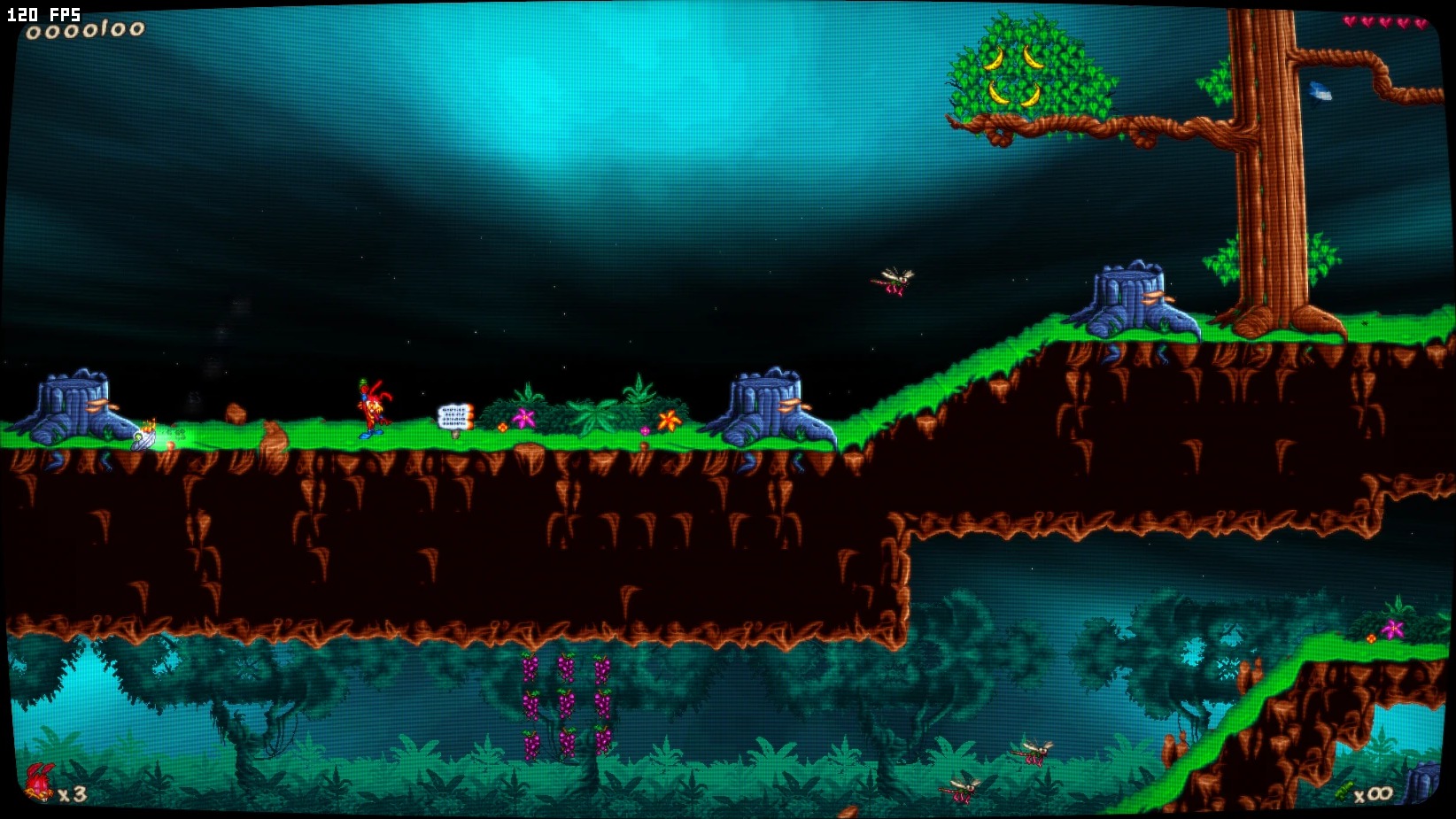
- Picture styles: Sharp Pixels, Soft, Smooth Edges and Arcade CRT, with optional scanlines and a whole-pixels mode with black bars.
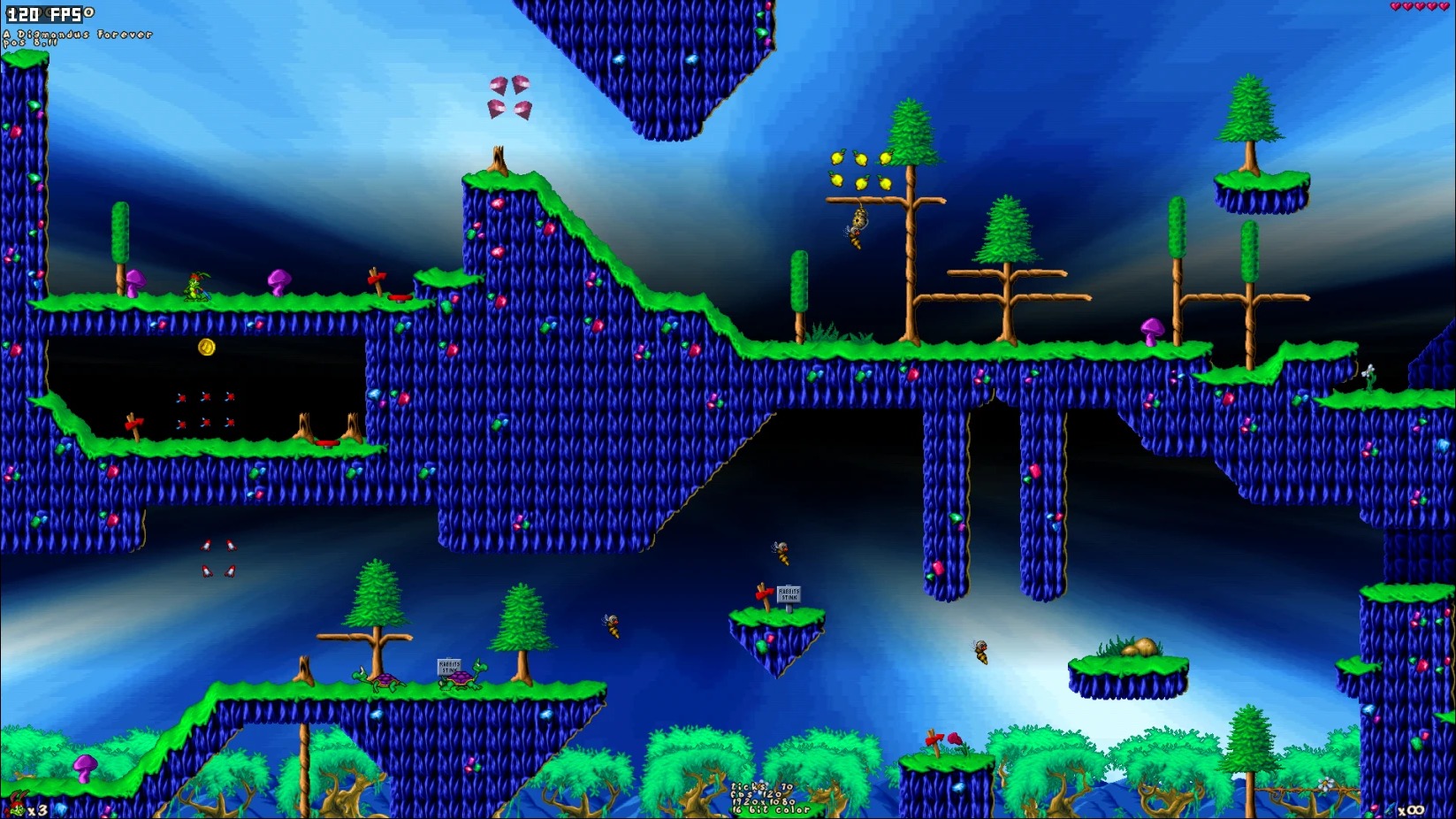
- Higher resolutions: see more of the level, with views up to 1920x1080 instead of the original 640x480. Fit to Screen picks a size close to the original; the zoom steps and fixed sizes are in the View menu.
- Fair Size Online limits your view in online games. (Renamed Competitive Online in build 1.3.2, which limits it to 800x600 at most.)
- A menu bar for the display settings: View, Picture and Frame Rate. These replace the game's own video options.
- Frame rate options Even 70 and Fastest Response, and an FPS counter.
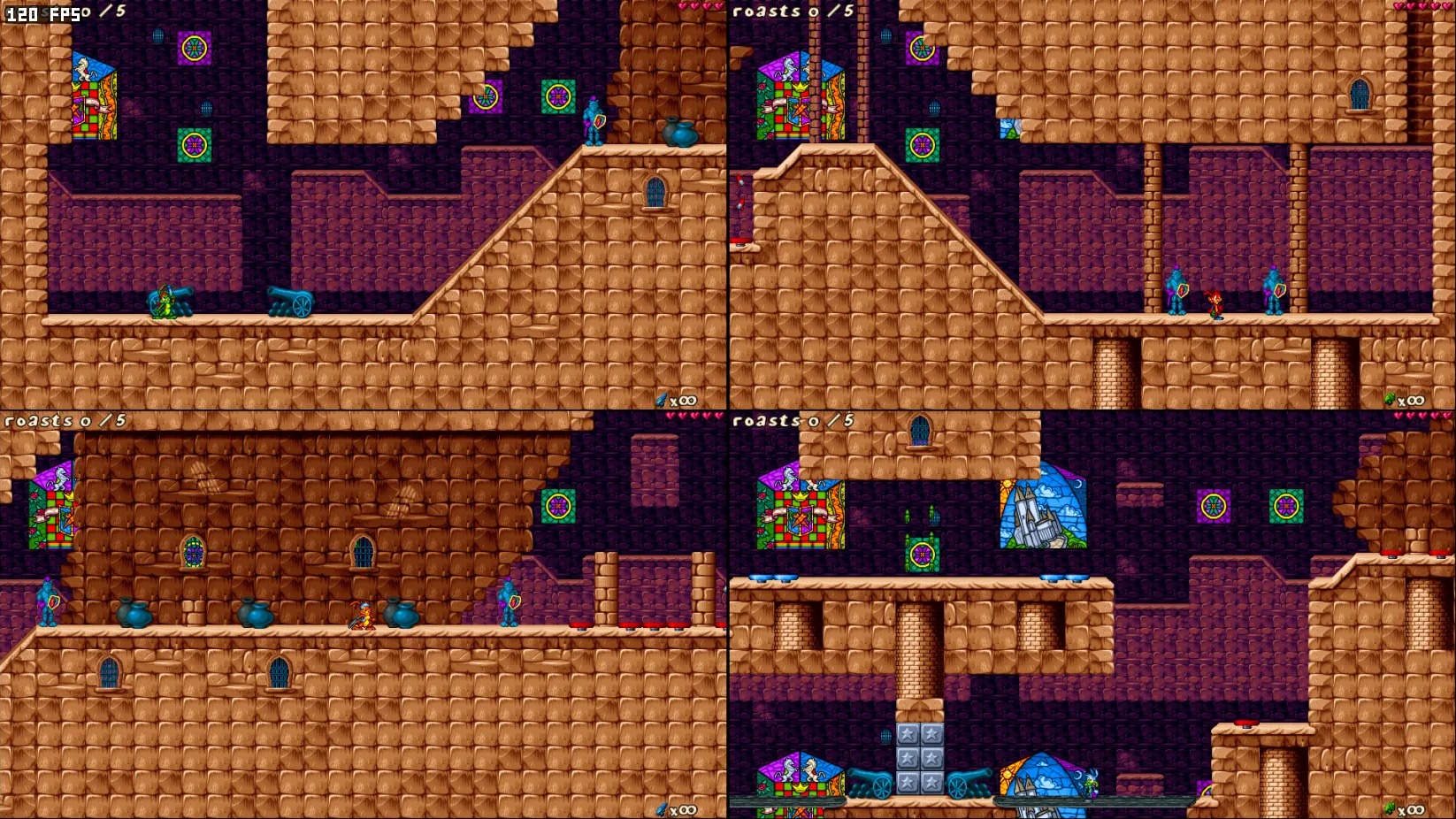
- A choice of layout for two-player split screen.
- In full screen the picture stays below the camera notch on MacBooks that have one.
- In wide views the menu graphics keep their proportions.
Fixed
- Some JJ2+ battle levels crashed the game because they use flipped tiles, which the original game does not support. Those tiles are now shown unflipped.
- Changing the zoom from the game setup menu could crash the game.
Build 1.0 · 4 November 2026
- Jazz Jackrabbit 2 1.24 running natively on Apple silicon Macs.
- Single player, local split screen and online play, hosting and joining, with players on the original Windows version.
- Sound and music as in the original game.
- Xbox, PlayStation and Switch Pro controllers.
- Window or full screen: ⌥ Return or ⌘ Ctrl F. Full screen does not change your display's resolution.
- The first start asks where your game files are and remembers the folder.
How it is made
Built from the original game's code
This is not an emulator or a remake. The Windows version of Jazz Jackrabbit 2 1.24 was decompiled to C, function by function, and each function was checked against the original running in the game. All of the game's own code, from the levels, enemies and physics to the menus, sound mixer and network code, runs here as it was written. Only the parts that talked to Windows have been replaced: the window, DirectDraw, DirectSound, input and networking now go through a thin layer on SDL 3. As a check, the ten demos that come with the game play back exactly as they do on Windows, frame for frame.
Graphics: Metal on the Mac, Vulkan on Linux
The original drew through DirectDraw at a fixed size. The game still draws each frame the same way, and the finished frame is then displayed with Metal on the Mac and Vulkan on Linux. That makes these possible:
- The picture scales cleanly to any window or screen, with a choice of picture styles (Sharp Pixels, Soft, Smooth Edges and Arcade CRT) and optional scanlines.
- You can see more of the level than the original 640x480, up to 1920x1080 (View, Zoom Out).
- A new frame is drawn at every refresh of your display (Frame Rate, Smooth, the default), with everything positioned between the game's updates. The game itself still runs at its original 70 updates a second, so it plays exactly as before. Motion is super smooth on a 60 Hz, 120 Hz or any other display.
Sound
The game's own sound and music mixer is unchanged. Instead of writing ahead into a DirectSound buffer, it now mixes at the moment the sound output asks for more, so sound effects play with very little delay.
Online
- Online play uses 1.24's own network protocol, so Mac, Linux and Windows 1.24 players can host and join each other's games, over the internet or a home network.
- Competitive Online (View menu, on by default) limits your view to 800x600 at most while you play online (never wider than 800 or taller than 600), so a bigger screen does not let you see further than other players. These builds cannot join Plus Only servers yet. Once they can, each server's own maximum resolution will be respected, exactly as it is for JJ2+ players, and this setting will not override it.
- JJ2+ is not supported yet. Levels made for the original game play as normal, and many JJ2+ levels load, but levels that need JJ2+ itself show the original game's error message, as they do on Windows without JJ2+.